
The complete guide to social proof for business (2026) | GetPureProof
The complete guide to social proof for business (2026)
What social proof is, why it works, and how to actually use it to convert more visitors — without turning your landing page into a trust theatre.
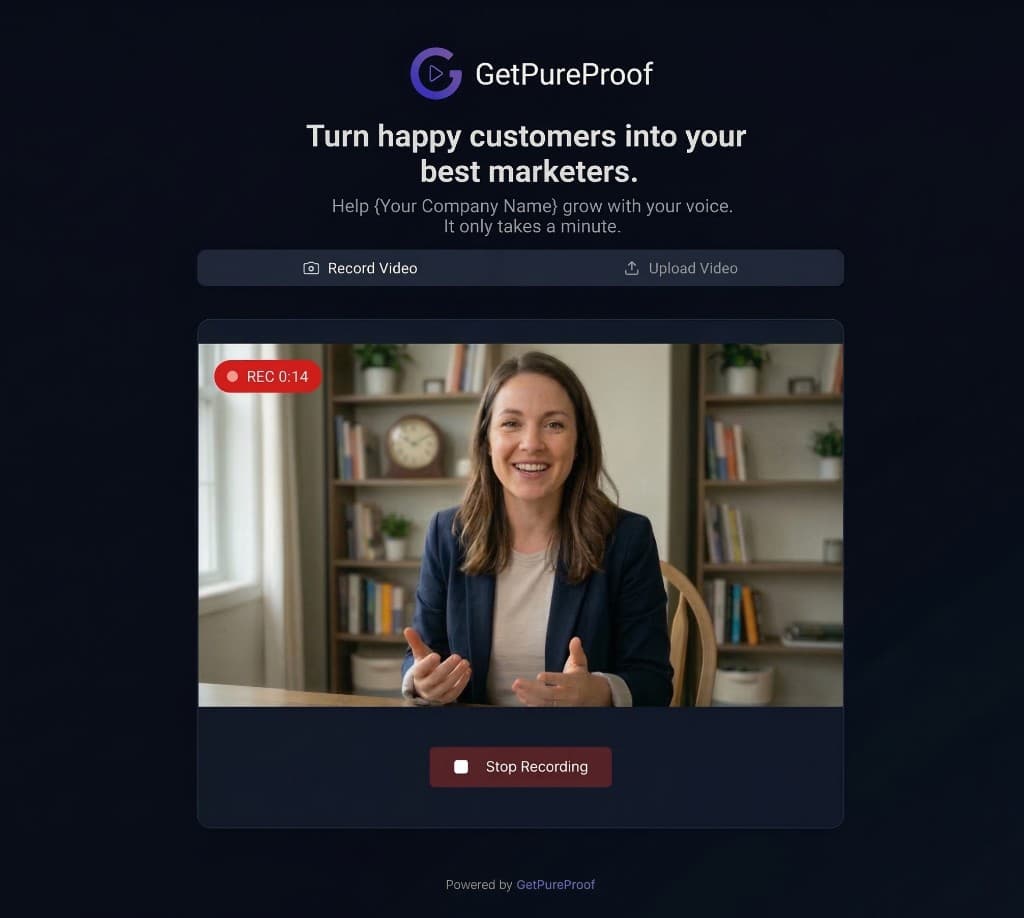
Instantly collect video proof from your clients.
Your branding, their voice.
+24% Conversion Rate
Boost trust and sales instantly.
No-Code Integration
Copy-paste the widget in seconds.
Zero Friction
Customers record in-browser. No app needed.
Most businesses know they "need social proof." Few know what that actually means in practice.
They slap a logo bar under the hero, drop three stock-photo testimonial cards on the pricing page, and call it done. Six months later they're still wondering why conversion is flat.
Here's the truth: social proof isn't decoration. It's a conversion mechanic. And like any mechanic, it only works when you understand how it functions — not just that it exists.
This guide covers both halves. First, the taxonomy: what social proof actually is, the six types that exist, and why each one triggers a different part of the buyer's brain. Then, the implementation: where to place it on your site, which formats convert best in 2026, and how to stop sabotaging your own proof with bad execution.
No theory without action. No action without theory.
What is social proof?
Social proof is the psychological shortcut people use to make decisions when they're uncertain. When you don't know whether something is good, safe, or worth your money, you look at what other people are doing — and you copy them.
The term was popularised by Robert Cialdini in Influence (1984), but the behaviour is older than marketing. It's a survival heuristic: in an unfamiliar situation, following the crowd is usually safer than striking out alone.
On the internet, every buying decision is an unfamiliar situation. Your visitor has never used your product. They've never met you. They have thirty tabs open. Their default state is uncertainty, and their default action is to leave.
Social proof is the signal that collapses that uncertainty. It tells the visitor: other people like you have already done this, and it worked out. That single signal — delivered well — is often the difference between a bounce and a signup.
Why social proof works (the psychology in plain English)
Three things happen in a visitor's brain when they see credible social proof:
Risk drops. Every purchase carries risk — financial, reputational, emotional. Seeing that others have taken the same risk and survived lowers the perceived cost of saying yes.
Cognitive load drops. Evaluating a product properly is expensive work. Social proof lets the visitor outsource that evaluation to people who've already done it. The brain loves shortcuts.
Identity gets activated. When a visitor sees someone who looks like them (same industry, same role, same problem) using your product, a new thought appears: this is for people like me. That's the moment interest turns into intent.
Notice what's missing from that list: nothing about your features, your pricing, or your copy. Social proof works independently of your sales pitch. It's a parallel channel — which is exactly why pages that rely only on self-description ("we're the leading platform for...") underperform pages that let customers do the talking.
The six types of social proof
Cialdini's framework (later expanded by marketing practitioners) breaks social proof into six categories. Each one works on a different psychological trigger, and each one has a different implementation cost. Most businesses use two or three. The best use four or five, matched to the right contexts.
1. User social proof
Proof from everyday customers — the people your visitor most identifies with. Formats include written testimonials, video testimonials, star ratings, detailed reviews, case studies, and user-generated content.
This is the workhorse category. It's the most accessible (every business has customers) and often the most persuasive, because visitors see themselves in the people featured. A SaaS founder reading a testimonial from another SaaS founder is a near-perfect identity match.
Video is the highest-trust format here, because it's the hardest to fake. A written quote can be fabricated. A human face, voice, and unscripted delivery carries weight that text cannot match. For a deeper look at how video testimonials specifically work, see the ultimate guide to video testimonials.
2. Expert social proof
Endorsements from recognised authorities in your space — industry analysts, well-known practitioners, published experts, credentialed professionals.
Expert proof works through borrowed credibility. If someone your visitor already trusts vouches for you, that trust transfers. The catch: the expert has to actually be relevant. A celebrity chef endorsing a B2B accounting tool does nothing. A respected VC endorsing a fintech startup does a lot.
3. Wisdom of the crowd
Proof by volume. "Join 12,000 other founders." "Over 50 million downloads." "Rated 4.8/5 by 2,300 customers."
This works because large numbers signal safety. If 12,000 people use something, it probably isn't a scam. But there's a threshold effect: numbers only work when they're big enough to impress. "Join 47 other customers" is worse than no number at all — it signals the opposite of momentum.
If your numbers aren't big yet, use other proof types until they are. Don't fake it, and don't quote numbers that make you look small.
4. Wisdom of friends
Proof that people in the visitor's personal network use the product. LinkedIn showing "3 of your connections follow this company." A referral link. A friend's recommendation surfaced in your UI.
This is the most powerful type of social proof when you can trigger it, because the trust transfer is direct — not borrowed from strangers. It's also the hardest to engineer. Most businesses can't access the visitor's social graph, which is why this category is usually the smallest in practice.
5. Certification and authority signals
Third-party badges, compliance certifications, media logos, awards, partnerships. "Featured in TechCrunch." SOC 2 logo. G2 leader badge. Stripe Verified Partner.
Certifications work on a different axis than testimonials: they answer the question is this business legitimate? rather than is this product good? Both questions need answering, but they're not interchangeable. A page with five certifications and zero testimonials feels like a bank. A page with five testimonials and zero certifications feels like a pitch. You want both.
6. Celebrity social proof
Endorsements from well-known public figures. Mostly irrelevant for B2B and most SMB use cases, but worth naming for completeness. If a celebrity genuinely uses your product and will say so on camera, it's a nuclear-grade asset. If not, ignore this category and move on.
Which types should your business actually use?
Most teams overthink this. The honest answer, by business type:
SaaS (self-serve): User proof (especially video), wisdom of the crowd, expert proof, certifications. In that order. Skip celebrity. Specific placement guidance lives in video testimonials for SaaS founders.
Agencies and consultants: User proof (video case studies from named clients), expert proof (your own credentials and press), certifications (industry-specific). Volume matters less here — one named client logo outweighs a thousand anonymous users. See agency testimonial software for format specifics.
E-commerce: User proof at maximum volume — ratings, reviews, photo/video UGC, review counts on every product page. Wisdom of the crowd (review totals, bestseller badges). Certifications where relevant (organic, fair trade, B-Corp). More on this in video testimonials for e-commerce.
Course creators and coaches: User proof is the entire game. Video testimonials of specific student outcomes. "I took this course and here's what changed" beats every other format combined. Expert proof if you have credentials. See coaching testimonials and course creator testimonials.
Freelancers: User proof (named client testimonials, published case studies), expert proof (your portfolio, public work). Wisdom of the crowd is usually irrelevant — clients hiring freelancers don't care how many other clients you've had; they care whether the last three were happy. See freelancer testimonials.
HR and recruiting: Employee testimonials (video especially), company culture proof, Glassdoor-style ratings, named leadership visibility. See employee testimonial software for format specifics.
The pattern across every type: user proof is the foundation. Everything else is a multiplier. If you only have time to do one thing, collect and display customer testimonials — ideally video.
Why video social proof converts harder than any other format
Text testimonials have a believability problem. They're easy to fake, they're often polished to the point of sounding like marketing copy, and everyone knows this. Visitors scan them and discount them heavily.
Video fixes this on three axes:
Authenticity signals. A real human face, real voice, real environment, real small imperfections. Every one of these signals cannot be generated by a copywriter. The visitor's brain registers "this is a real person" in the first two seconds, before they've even parsed the content.
Emotional bandwidth. Written testimonials transmit words. Video transmits words plus tone, pacing, facial expression, body language, and enthusiasm. A customer saying "it was great" on camera with a genuine smile carries ten times the weight of the same three words in quote marks.
Harder to fake, so more trusted. Because video is harder to fabricate, visitors unconsciously weight it higher. Even if a visitor has never consciously thought "I trust video more than text," their conversion behaviour proves it.
Industry research consistently shows short-form video testimonials (roughly 30-90 seconds) convert best. Longer than that and viewers drop off. Shorter than that and the testimonial doesn't have time to establish the speaker as credible.
This is also why there's a ceiling on testimonial length that's worth respecting. Long monologues underperform tight, edited-for-impact clips. More on collection and formatting in how to ask customers for video testimonials.
Where to place social proof on your website
Collecting social proof is half the job. Placement is the other half. A great testimonial in the wrong place does almost nothing.
Here's the map, in order of ROI:
The hero section
Your hero is the single most valuable real estate on your site. If you have room for one piece of social proof above the fold, put it here.
What works: a logo bar of recognisable customers, a single star rating with total count, or a short testimonial card with photo. What doesn't: long testimonial quotes that push the CTA below the fold, or generic "trusted by thousands" claims without specifics.
The pricing page
Pricing is where hesitation peaks. Visitors arrive interested and leave uncertain. This is the highest-leverage place for testimonials that address price specifically — customers talking about ROI, value for money, or why the investment paid off.
Place them adjacent to the pricing tiers, not beneath them. Visitors scanning pricing rarely scroll past it.
Below the hero / above the fold 2
After the visitor has seen the main pitch, social proof should be the very next thing. A dedicated testimonial section — a Wall of Love style grid works well here — gives the visitor immediate validation before they scroll into features.
Feature sections
Every major feature claim benefits from a matching testimonial. "Our onboarding takes 5 minutes" is self-description. The same claim followed by a customer saying "I was up and running in under 5 minutes" is social proof.
Don't just dump a testimonial wall at the bottom of the page. Distribute testimonials next to the specific claims they validate.
The signup / CTA page
The moment before commitment is when doubt spikes. A single strong testimonial on the signup page — ideally video — closes the loop. It answers the last unconscious question: am I about to make a mistake?
Case study / customers page
A dedicated page that collects all your social proof in one place. Serves two purposes: it's a destination for visitors who want deep proof ("show me real customer stories"), and it's an SEO asset for long-tail branded and comparison searches.
For implementation details, see how to add testimonials to your website.
The technical mistake that kills social proof: slow widgets
Here's something most guides miss.
When you embed testimonial widgets — especially video widgets — on your landing page, you're adding external JavaScript that loads video players, fetches media, and renders UI. Done badly, this tanks your PageSpeed score, inflates your Largest Contentful Paint (LCP), and hurts your SEO rankings.
Google's Core Web Vitals penalise slow pages. Users bounce from slow pages. The irony is brutal: you add social proof to increase conversion, and the widget itself reduces conversion by slowing the site down.
Most testimonial widgets on the market were built before Core Web Vitals became a ranking factor. They load synchronously, block the main thread, and pull in heavy video players on initial page load. Your Lighthouse score drops 20-30 points overnight.
The fix is async loading, lightweight widget architecture, and CDN-backed video delivery. If you're building the muscle of social proof into your landing page strategy, make sure the tooling you pick doesn't sabotage the rest of your work. Deeper treatment of this specific problem lives in embed video testimonials without slowing your site.
This is also why GetPureProof's widgets are built on async loading and global CDN delivery — so your social proof doesn't cost you the PageSpeed score you spent six months building.
Three real-world scenarios
Abstract principles get clearer with specifics. Three scenarios, anonymised but representative:
A B2B SaaS doing $40k MRR rebuilt their pricing page around social proof. They moved from a pure features-and-tiers layout to a layout with a video testimonial next to each plan, plus a customer logo bar above the pricing table. Visitors now see proof at the exact moment they're evaluating cost. The testimonial next to the mid-tier plan specifically addressed "why we upgraded" — matching the decision the visitor is currently making.
A Shopify skincare brand added short video UGC clips (15-30 seconds) to their product pages, below the product photos and above the "add to cart" button. Each product page now has 3-5 real customer clips showing the product in use. Conversion on product pages with video UGC runs meaningfully higher than pages with text-only reviews, which aligns with industry research on video vs. text testimonials.
A solo course creator runs a dedicated testimonials page that collects 40+ video testimonials from past students, organised by outcome ("landed a job," "got a promotion," "changed careers"). When a prospective student lands on the course sales page, they can click through to filtered testimonials that match their specific goal. This beats a generic testimonial wall because the visitor sees proof from their exact identity group.
Pattern across all three: proof matched to context. Generic testimonials scattered everywhere underperform specific testimonials placed next to specific decisions.
How to collect social proof systematically
Most businesses collect testimonials the same way: occasionally, reactively, when they remember.
That's why most businesses have three testimonials on their site and have had the same three for two years.
The fix is process:
Ask at the right moment. Customers are most willing to give testimonials when they've just experienced a win with your product. Onboarding success, first result, renewal moment, problem-solved moment. Ask in the next 48 hours, not six months later. More on timing and framing in how to ask customers for video testimonials.
Make it frictionless. The number one reason customers don't give you testimonials is effort. If your ask requires them to download an app, sign up for an account, write from scratch, or get on a call, your response rate will be in the single digits. A one-click link that lets them record a 60-second video in their browser, no account, no install — that's the format that actually works at scale.
Ask specific questions. "Can you say something nice about us?" gets you nothing usable. "What problem were you trying to solve, and what changed after you started using us?" gets you a structured, usable testimonial every time. A good prompt list is worth gold — see video testimonial questions to ask for a complete set.
Approve and edit centrally. Every testimonial should pass through an approval flow before it goes live. You're not just collecting proof — you're curating it.
Display it where it matters. Collected testimonials that sit in a folder do nothing. Distributed testimonials across your site, matched to context, compound over time.
What to avoid
Four execution mistakes that make social proof actively counterproductive:
Fake or fabricated proof. Don't invent testimonials. Don't use stock photos as testimonial avatars. Don't quote anonymous sources. Visitors have calibrated radar for this, and one detected fake destroys trust for the entire page.
Vague, generic testimonials. "Great product, highly recommend!" is not social proof — it's noise. Specific testimonials that name the problem, name the outcome, and name the customer carry 10x the weight of generic praise. If your testimonials all sound the same, you're collecting them wrong.
Outdated proof. Testimonials from 2019 on a 2026 product raise questions, not trust. Date your testimonials. Refresh them regularly. An old testimonial is sometimes worse than no testimonial.
Overloading the page. Twenty testimonials in a row stop being social proof and start being filler. Visitors skim, pick two or three, and move on. Better to have five excellent testimonials placed with intent than fifty mediocre ones dumped in a wall.
Measuring what's working
Social proof is measurable. Track:
- Scroll depth on pages with embedded testimonials — are visitors actually reaching them?
- Play rate on video testimonials — what percentage of visitors hit play?
- Completion rate on video plays — are they watching to the end?
- Conversion rate on pages with vs. without social proof (A/B test where possible)
- Attribution — do visitors who engage with testimonials convert at higher rates?
You don't need fancy tooling. Most of this comes from your analytics stack (GA4, Hotjar, or similar) combined with the native analytics of whatever testimonial tool you use.
If a testimonial isn't getting played, move it or cut it. If a page with heavy social proof converts worse than a page without, your proof is the wrong kind or in the wrong place. Treat social proof like any other conversion element: test, measure, iterate.
Bottom line
Social proof isn't a checkbox on a marketing to-do list. It's a parallel conversion channel that runs alongside your copy, your pricing, and your product.
Done well — real customers, specific proof, placed next to the decisions it validates, delivered in formats that carry trust — it compounds. Every new testimonial makes every existing testimonial more credible. Every well-placed piece of proof lifts the ones around it.
Done badly — generic quotes, fake faces, outdated claims, slow widgets that tank your page speed — it's worse than no proof at all.
The businesses winning in 2026 aren't the ones with the loudest marketing. They're the ones who let their customers do the marketing for them — at scale, on video, placed with intent, delivered fast.
That's the whole game.
GetPureProof is built for exactly this: collecting video social proof with zero friction, approving and managing it centrally, and embedding it on your site without hurting Core Web Vitals. See pricing or start free — no credit card required.
Frequently asked questions
Start collecting video social proof that actually converts
Zero-friction browser recording. No PageSpeed penalty. $49/mo for unlimited videos. Free to start.
Start free — no credit card