
The SaaS video testimonial playbook
Most SaaS landing pages leak revenue at the trust gap — the moment between "this looks interesting" and "I'll enter my card." This playbook is how you close it with video, in 2026.
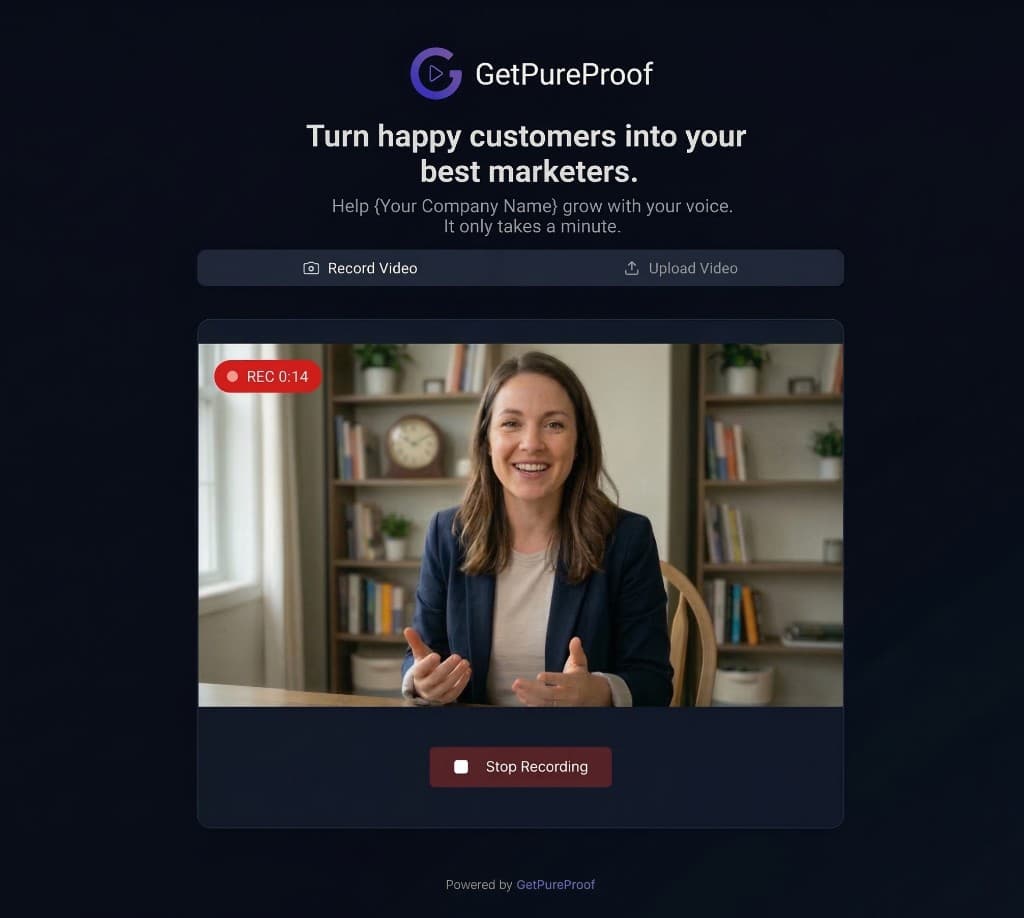
Instantly collect video proof from your clients.
Your branding, their voice.
+24% Conversion Rate
Boost trust and sales instantly.
No-Code Integration
Copy-paste the widget in seconds.
Zero Friction
Customers record in-browser. No app needed.
Why this guide exists
Text testimonials stopped converting somewhere around 2021. Buyers learned that a five-star quote with a stock photo costs $3 on Fiverr. Video, on the other hand, is hard to fake — there's a real face, a real voice, a real pause when someone searches for the right word. That's why every category-leading SaaS landing page in 2026 leans on video proof above the fold.
This playbook is for three groups of SaaS operators:
Solo founders and indie hackers pre-PMF or below $10k MRR who can't afford a customer marketing team and need testimonials that pull weight on a $0 budget.
Bootstrapped SaaS teams between $10k and $100k MRR running their own marketing, where every conversion point matters and there's no headcount for a 6-step Loom-and-edit workflow.
Growth and marketing leads at funded startups who need a system that scales past 50 testimonials without becoming a part-time job for a video editor.
What you'll get: the frameworks that work in 2026, the scripts that get customers to actually hit record, the technical setup that doesn't tank your Lighthouse score, and the embed strategy that turns testimonials into measurable lift on signups.
No fluff, no "unlock your potential." Just the playbook.
The trust gap: where SaaS landing pages bleed conversions
Open your analytics. Look at the drop-off between your pricing page and your signup form. That gap — usually 60% to 85% — is the trust gap.
It's not a copy problem. It's not a UX problem. It's a belief problem. The visitor wants to believe your product works. They just don't yet. And no amount of hero-image polish or feature bullet points moves the needle once they've decided to be skeptical.
What does move the needle: another human being, on camera, saying the thing your landing page is already saying — but in their own voice, with their own context, and with the specific objection your visitor is silently holding.
A case study from Wistia's research on video on landing pages found that adding video to a page lifts conversion meaningfully — and that lift compounds when the video is a real customer rather than a polished brand asset. (Industry research consistently shows video proof outperforms text proof on signup-driven flows.)
The SaaS-specific twist: your buyers are technical. They've seen every dark pattern, every fake-scarcity timer, every "join 10,000+ teams" badge linking to nothing. The unfaked-ness of video is the entire point. A 47-second clip from a real customer named Maya at a real company, talking about a real workflow, can outperform three paragraphs of polished copy.
What separates testimonials that convert from testimonials that decorate
Most SaaS testimonial walls are decoration. These four traits make them convert.
The 6-step SaaS testimonial collection system
This is the system. It works for a solo founder with 12 customers and for a Series A team with 4,000. The principles don't change — only the volume does.
Step 1: Identify the right ask moment. The wrong moment is "after they've used the product for 6 months." The right moment is the spike in their dopamine — right after a measurable win. Onboarding completion. First successful integration. First time they hit a milestone metric inside your product. Trigger the ask there.
Step 2: Make the ask in the right channel. Email works, but in-app prompts after a win convert 3-5x better in our customers' data. If you're going to email, send from a real founder address with a one-line subject. "Quick favor" beats "We'd love your feedback."
Step 3: Reduce the cognitive load to near zero. This is where 90% of testimonial requests die. The customer wants to help. They just don't know what to say. Give them the questions. Give them the prompt. Give them an example. The whole point of a structured collection link is to remove the "what do I even say" anxiety.
Step 4: Strip every friction point from the recording itself. No app downloads. No account creation. No "please install our recording extension." The customer should click a link, see a record button, and be live. Anything else and you've already lost half of them.
Step 5: Moderate before publishing. Not every testimonial is usable. Some are too long, some have audio issues, some accidentally say something compliance won't love. A simple approval queue saves you from publishing the bad ones and keeps you legally clean.
Step 6: Match the testimonial to the page. A testimonial about onboarding goes on the signup page. A testimonial about ROI goes on pricing. A testimonial about integrations goes on the relevant feature page. Don't dump everything onto a single Wall of Love and call it strategy.
The 5 questions that get usable answers (every time)
GetPureProof lets you set custom questions per Space. Most SaaS teams over-think this and end up with 14 prompts that scare people off. Use these five. They're ordered to warm the speaker up and end on the highest-impact question.
1. "What were you trying to solve before you found us?" This frames the testimonial around a real problem, which is what your visitor identifies with — not your product.
2. "What did you try first, and why didn't it work?" This positions you against alternatives without you having to do it. Customers will name competitors so you don't have to.
3. "What changed after you started using us?" Specifics. Numbers if they have them. "Cut our onboarding time in half" is gold.
4. "Who would you recommend this to — and who shouldn't bother?" The second half is counterintuitive but powerful. When a customer says "this isn't for you if you're not serious about X," it filters your audience and increases qualified-lead density.
5. "Anything else you'd want a future customer to know?" This is where the unscripted gold comes out. The throwaway sentence at the end of a testimonial is often the best one in the whole clip.
Keep it to five. Not three (too shallow), not ten (too tiring). Five gives you a 60-90 second clip with enough material for both a long-form embed and a 15-second highlight cut.
The actual collection flow: GetPureProof vs. the typical SaaS workflow
| Funkcja | GetPureProof | Typical workflow |
|---|---|---|
| Customer steps from email to submitted testimonial | 3 (open link, record, submit) | 6+ (download app, create account, record, edit, export, upload) |
| Account or app required for the customer | None | Usually both |
| Mobile recording | Native, in-browser, portrait or landscape | Often desktop-only or requires mobile app install |
| Approval before public display | Built-in moderation queue (pending by default) | Often missing or bolted on |
| Embedding on your site | Copy widget snippet, async load, zero PageSpeed hit | Heavy embed scripts that drag Lighthouse scores down |
| Time from "send the link" to "video on your site" | Same day, typically under an hour | Days, often a week |
The technical layer most SaaS teams ignore (and pay for)
Here's the part of the playbook nobody else writes about, because most testimonial tools are built by marketers, not engineers.
Your landing page conversion isn't only about the content of your testimonials. It's also about whether the embed widget tanks your page speed. Google's Core Web Vitals are a ranking factor. They're also a conversion factor — every 100ms of additional load time costs you measurable signup volume on mobile.
Most testimonial widgets in 2026 still ship synchronous embed scripts that block render. They load 200-500KB of JavaScript before your hero image paints. On a mid-range Android over a typical mobile connection, that's an extra 1.5-2 seconds of perceived load time. Your testimonial widget — the thing that's supposed to help you convert — is actively hurting you.
The fix is async loading and a CDN-served widget that doesn't block the main thread. GetPureProof embeds load asynchronously, which means your hero, headline, and CTA paint before the widget even starts requesting. Lighthouse barely notices it's there. That's not a marketing claim — open your DevTools network tab and watch the waterfall.
The second technical layer: where your videos are actually hosted. A self-hosted video file on a typical web host buffers at the worst moment. A video served from a global CDN edge node plays instantly. Customers who hit play and wait for buffering bounce. Customers who hit play and see motion within 200ms keep watching.
This is why the technical foundation matters. A great testimonial that buffers is a wasted testimonial.
The embed strategy: where to actually put video proof
GetPureProof gives you five embed layouts. Each one solves a different conversion problem. Stop dumping everything into a Wall of Love and start matching format to job.
Single Spotlight — One testimonial, big and prominent. Use this above the fold on your homepage and on your pricing page. The single best testimonial in your library, matched to your top buyer persona. This is the highest-leverage placement on your site.
Wall of Love — A masonry grid of multiple testimonials. Use this on a dedicated /testimonials or /customers page, and as a mid-page section on long-form sales pages. Don't put it above the fold — it's overwhelming there. Use it as the credibility-stacking moment after you've made the pitch.
Carousel — Auto-rotating testimonials in a contained space. Best on feature pages where you want to show 3-5 testimonials specific to that feature without taking up vertical space.
Floating Pop — A small persistent widget that surfaces testimonials in a corner. Use sparingly. It works on pricing pages and during checkout flows. It does not work on every page — that reads as spammy.
Avatars — A horizontal strip of customer faces with hover-to-play. Use as a "social proof bar" near your CTA. Lower information density, but high glanceability. Good for replacing the tired "As seen in TechCrunch" logo bar.
The rule: one primary testimonial format per page, matched to the page's job. Pricing page gets a Single Spotlight + Floating Pop. Homepage gets Single Spotlight above the fold + Avatars near the CTA. Feature pages get a Carousel of feature-specific clips. Don't mix and match randomly.
Compliance: GDPR, consent, and the part lawyers care about
If you're collecting video testimonials from EU residents — and as a SaaS, you almost certainly are — you need explicit consent for processing biometric data (a person's face on video qualifies). This is not optional. This is not a "we'll figure it out later" item. The fines are real.
The practical version: every testimonial collection flow needs a consent checkbox, custom consent text you control, and an audit trail showing the customer agreed at the moment of submission. GetPureProof builds this in by default — you toggle GDPR consent on per Space, write your own consent text, and every submission stores the consent state alongside the video.
If you're using a tool that doesn't enforce this, you're carrying compliance risk you didn't price into your roadmap. Worth fixing before you scale.
Measuring whether any of this is working
Testimonials without measurement are decoration. Here's the minimum analytics setup for a SaaS team that wants to know if video proof is moving MRR.
Baseline first. Before you embed a single testimonial, screenshot your conversion rate on every page you plan to add proof to. Trial signups, pricing-to-signup, demo requests — whatever your primary conversion event is. Without a baseline, you can't measure lift.
Tag the embeds. Add a custom event in GA4 or your analytics tool when a testimonial widget loads. Add another when a video is actually played. The play rate matters more than the embed presence.
Run it for 30 days minimum. SaaS conversion data is noisy. Two weeks tells you nothing. A full month gives you enough signal to compare against your baseline.
Test placement, not presence. Once you know testimonials lift conversion, the next question is which testimonial in which spot. Move the same Single Spotlight from pricing-page-bottom to pricing-page-top and measure the delta. This is where the real compounding gains live.
Look at qualitative signal too. Read your trial signup notes. Listen to demo calls. Watch for customers mentioning "I saw the video on your site" — that's the unscientific but extremely useful proof that the system is working.
The fastest way to start is to actually start
Free plan, no credit card. Create your first Space, send the link to one happy customer, see how the flow feels. If it works, scale up.
Start freeTemplates and scripts (free, no email gate)
Here are the core scripts. Copy, paste, adapt to your tone.
The post-win in-app prompt:
Quick favor — you just hit [milestone]. Would you record a 60-second video about your experience? It helps other [persona] decide whether we're worth trying. Takes 2 minutes, no app to install. [Record button]
The founder email (works best from a real address):
Hey [name],
[Your name] from [company]. Saw you've been using [product] for [duration] — really appreciate it.
Quick ask: would you be up for a 60-second video testimonial? No pressure. The link below opens a recorder right in your browser, you answer 5 short questions, done in under 5 minutes.
[Recording link]
Thanks either way. [Your name]
The follow-up (send 4 days later if no response):
Hey [name] — bumping this in case it got buried. No worries if you'd rather not, just wanted to make sure you saw it.
[Recording link]
The thank-you after submission:
[Name] — got it, thank you. Going to use this on our pricing page (you'll see it within a week). If you'd ever want to update or pull it, just reply to this email.
That's the whole script library. Don't over-engineer this part. The ask is short. The follow-up is short. The thank-you is short. Customers respect that.
Common mistakes to skip
Asking too early. A customer who's been using your product for 9 days doesn't have anything useful to say. Wait for a real outcome.
Asking too many questions. Five is the sweet spot. Ten is exhausting. Three is shallow.
Editing testimonials into oblivion. A jump-cut every 2 seconds reads as manipulation. Trim the dead air at the start and end, leave the middle alone.
Burying testimonials below the fold on every page. Above-the-fold placement on your highest-traffic pages is non-negotiable for at least one testimonial.
Treating Wall of Love as a launch milestone. It's a starting point, not a destination. The work begins after you have 10 testimonials live — testing placements, matching personas to pages, measuring conversion lift.
Ignoring the tech. A beautiful testimonial that takes 4 seconds to load is worse than no testimonial. Audit your Lighthouse score after every embed addition.
Common questions from SaaS teams
Stop reading. Start collecting.
Create your first Space in under a minute. Send the link to one happy customer today. The first testimonial on your site is the hardest — every one after that is momentum.
Get started free